Choose a PDF
Pick a text-based PDF from your device. You can begin in a guest session.
 FolioDuet
Read with every sense
Read and listen together
FolioDuet
Read with every sense
Read and listen together
PDF to audiobook-style reading
Import a text-based PDF, press play, and follow every spoken word as it is highlighted. No account required to try it.
Original PDFs stay on this device. Neural playback sends the text being narrated to the selected speech provider. Privacy details
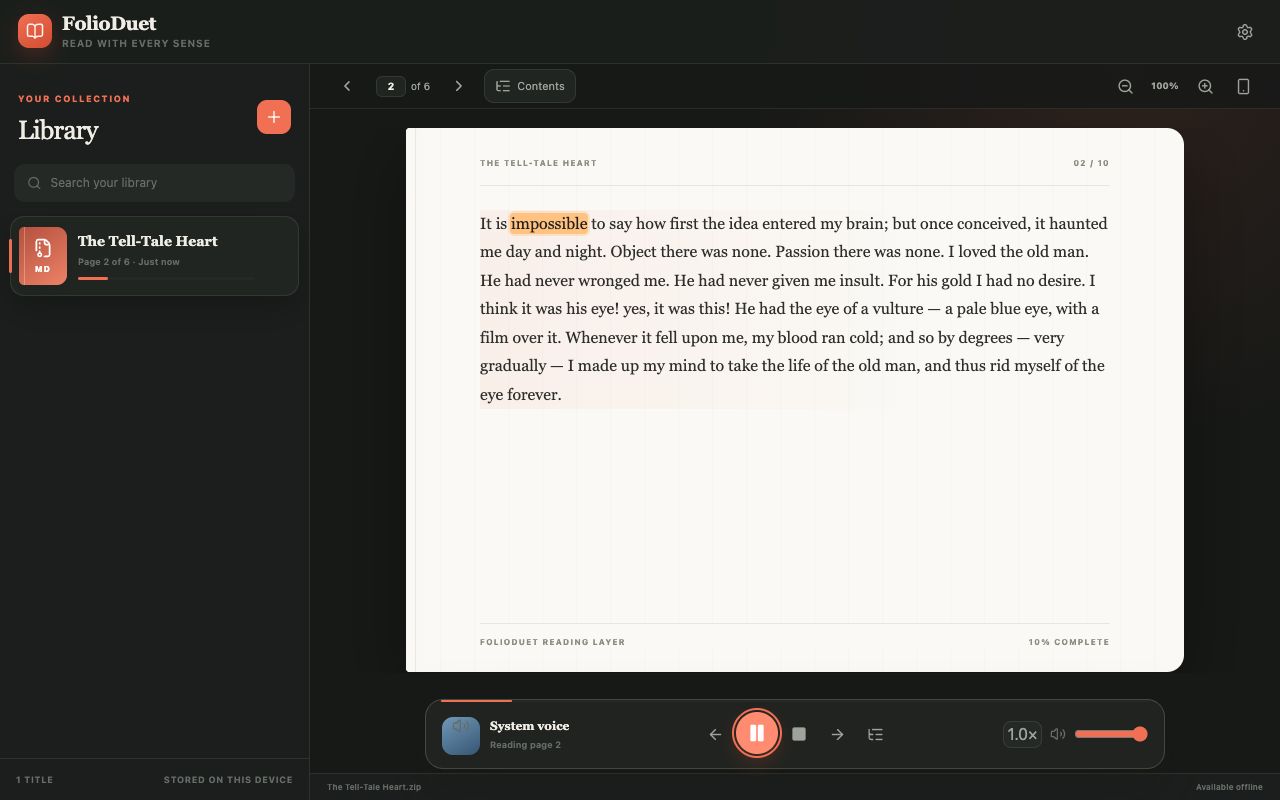
Visual transcript: FolioDuet opens a book beside its library, presents page two on a paper-like reading surface, and highlights “impossible” within the narrated passage. Page controls and reading progress stay in the same view.
Three simple steps
There is no conversion queue or separate audio file to manage.
Pick a text-based PDF from your device. You can begin in a guest session.
The reader turns the PDF’s selectable text layer into a continuous reading surface.
Start narration, watch the current word, and let the reader advance through the pages.
Built for the reading moment
The active word stays visible while narration moves through each passage.
Page progression and saved position make long documents feel like one listening session.
Try it in the browser, then sign in only if you want your processed library and place across devices.
Good fits
FolioDuet is designed for material you want to hear without giving up the structure and context of a page.
Known limits
Listening, not file export: FolioDuet streams narration while you read. It does not currently export an MP3 or M4B file.
Privacy in plain language
The binary file remains on the device where you imported it.
It stays local as a guest. If you sign in, processed text and progress may sync under your account.
Neural playback sends the selected passage to the speech provider you configure or use.
Open source
FolioDuet’s source is public under the MIT License. Inspect the reader, run your own copy, or contribute on GitHub.
Prefer to keep the text in view from the start? See how to read and listen to a PDF at the same time.
Frequently asked questions
You can try FolioDuet as a guest and import a text-based PDF without paying or creating an account. Sponsored Fish Audio availability may change. You can configure a supported provider or use a system voice when available; this is not a promise of permanently unlimited neural narration.
No. Playback currently streams inside the reader; FolioDuet does not export MP3 or M4B files.
It works with PDFs that contain a usable text layer. OCR for image-only scans is not currently promised.
No account is required for the sample or a local import. Signing in adds processed-text, library, preferences, and reading-progress sync.
The original PDF stays on the import device. Extracted text may sync when you sign in, and text selected for neural narration is processed by your configured speech provider.
Yes, after signing in, processed text and your reading position can sync. The original PDF binary is not copied to the other device.
Ready when you are